As a data engineer, the work rarely lives in one place. Moving constantly between notebooks, jobs, runs, clusters, and logs writing code, validating results, debugging failures, and managing compute resources is central to modern data engineering user experience.
In this kind of workflow, every click matters. Even small interruptions a page reload, a lost filter, or having to “go find” something can break your flow and cost valuable time, directly impacting data engineering productivity.
This is where most tools fall short.
Context loss happens when navigating between resources forces you to mentally reset:
The result is familiar to every data engineer:
Good UX doesn’t just help users navigate it helps them continue thinking. In practice, strong data engineering user experience is less about visual polish and more about protecting cognitive flow.
Now imagine a workflow where you can move between notebooks, jobs, runs, clusters, and logs without losing your place, your intent, or your focus.
That’s what cross-resource navigation without context loss enables and it is foundational to developer workflow optimization in complex data platforms. Let’s break down how this works in real, everyday data engineering scenarios.
Clusters are central to everything,
yet traditionally managed far away from where work actually happens.
Instead of forcing users to navigate to a dedicated clusters page:
Compute type, disk, attached catalogs, available wherever the cluster is used.
Start, stop, or destroy a cluster directly from notebooks, jobs, runs, or dashboards.
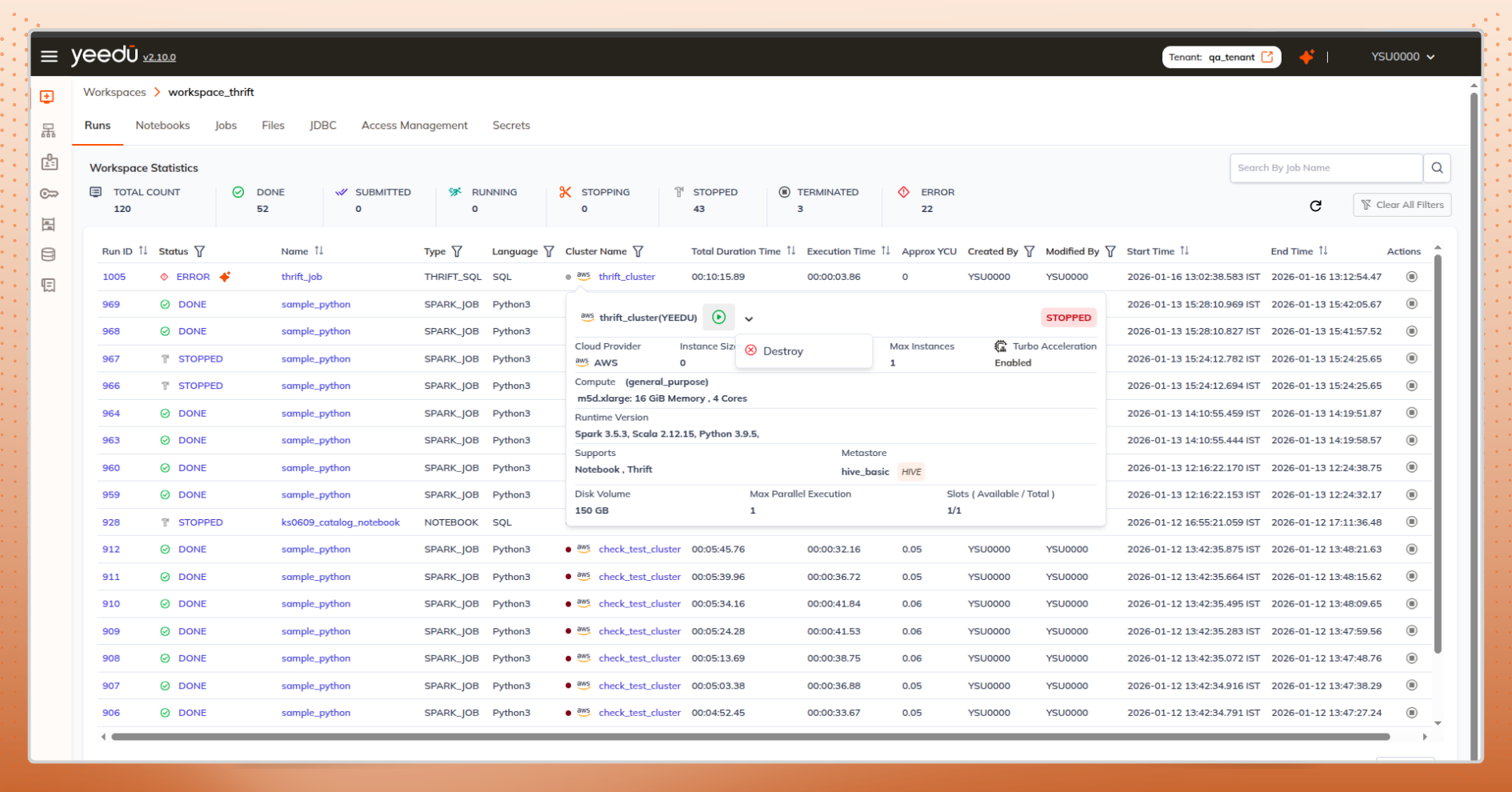
From the notebook editor, users can select “Create and Attach Cluster”. A new cluster is created and attached, without leaving the notebook.
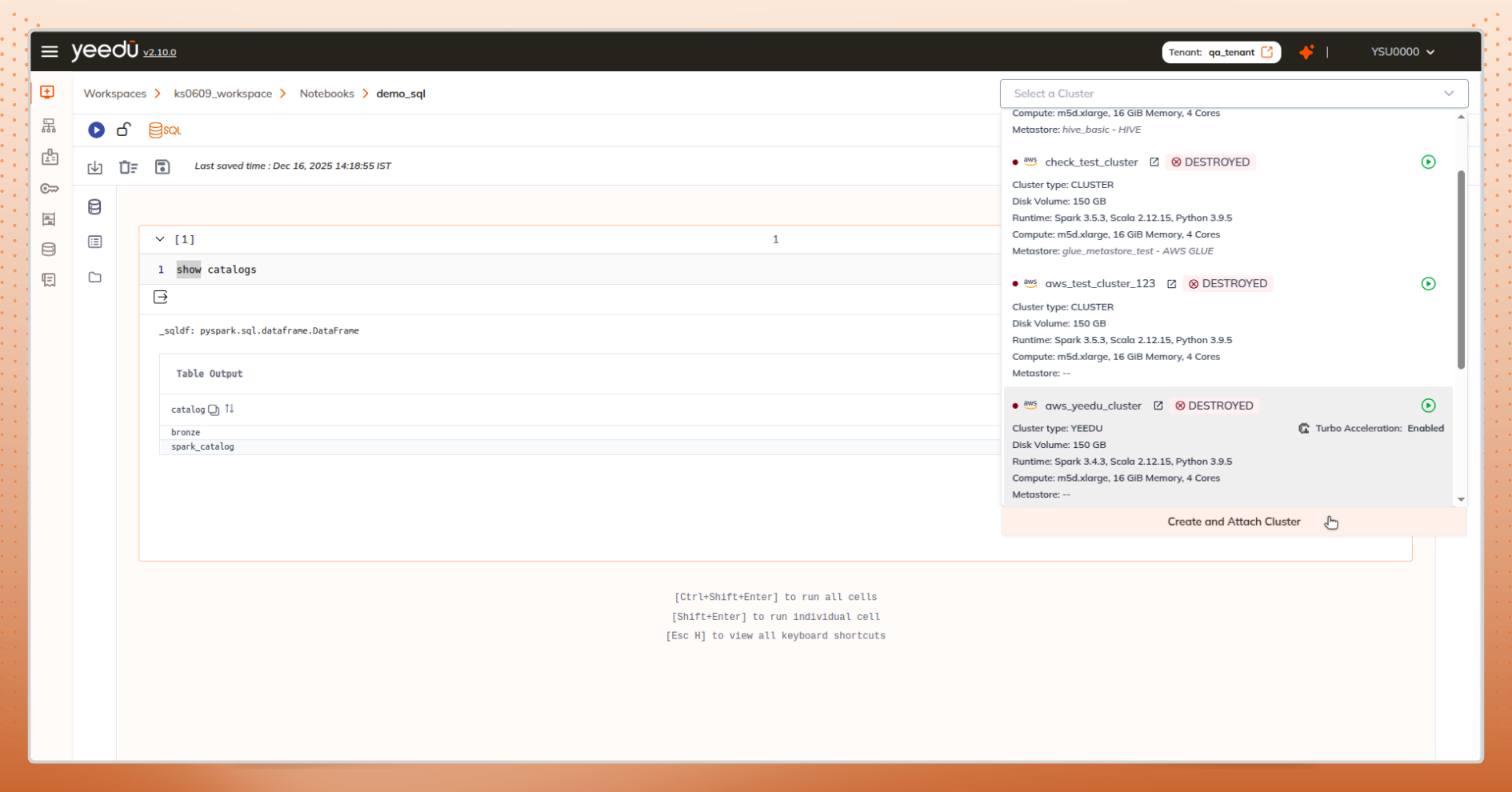
Why This Matters
You don’t stop thinking about data just to manage infrastructure. The UI adapts to your workflow, not the other way around, resulting in a more intuitive data engineering user experience that scales with complexity.
Notebooks are where exploration and iteration happen. Losing context here is especially costly.
What Works Better
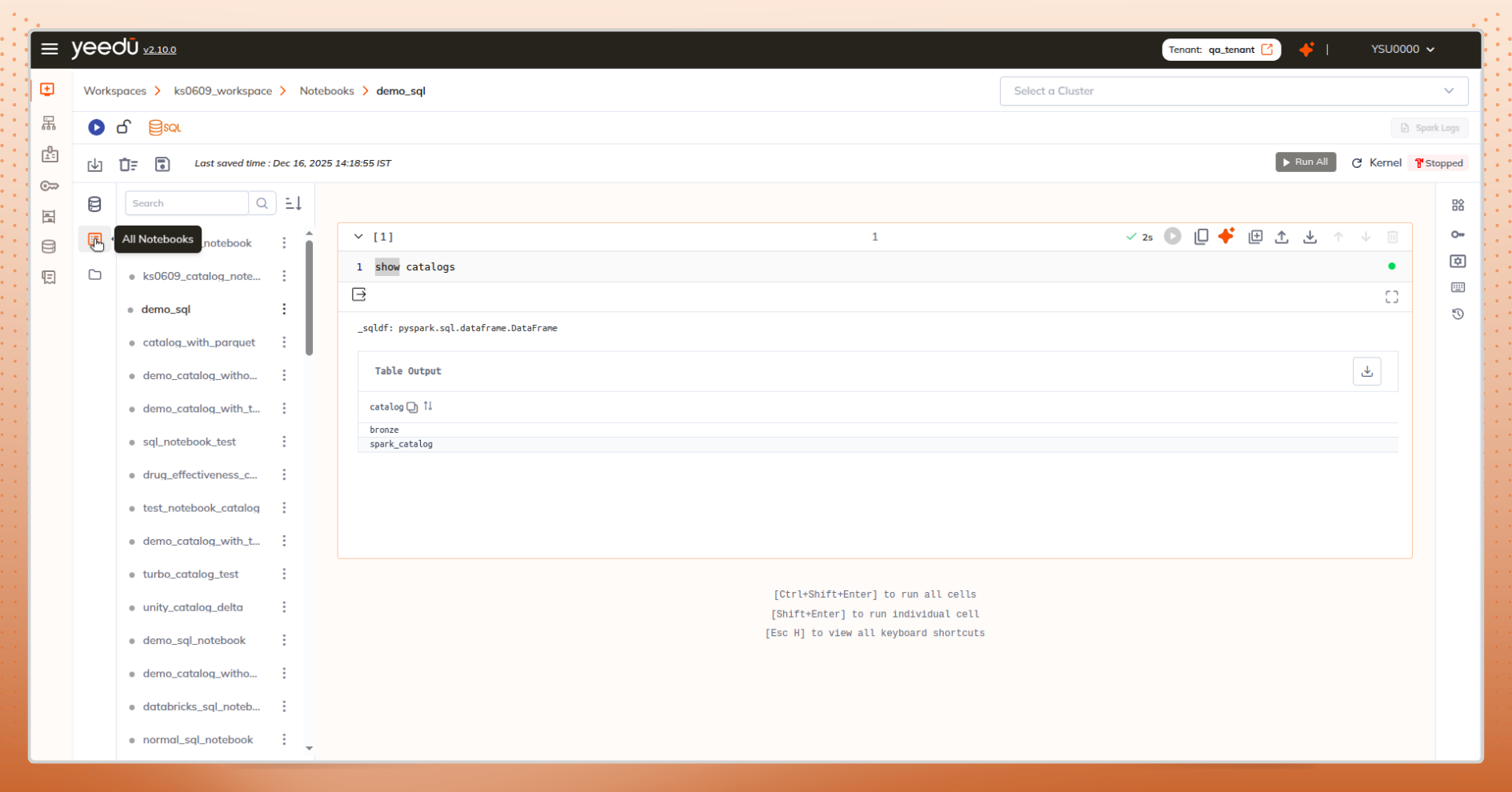
From one notebook, jump to All Notebooks to compare or reference others.
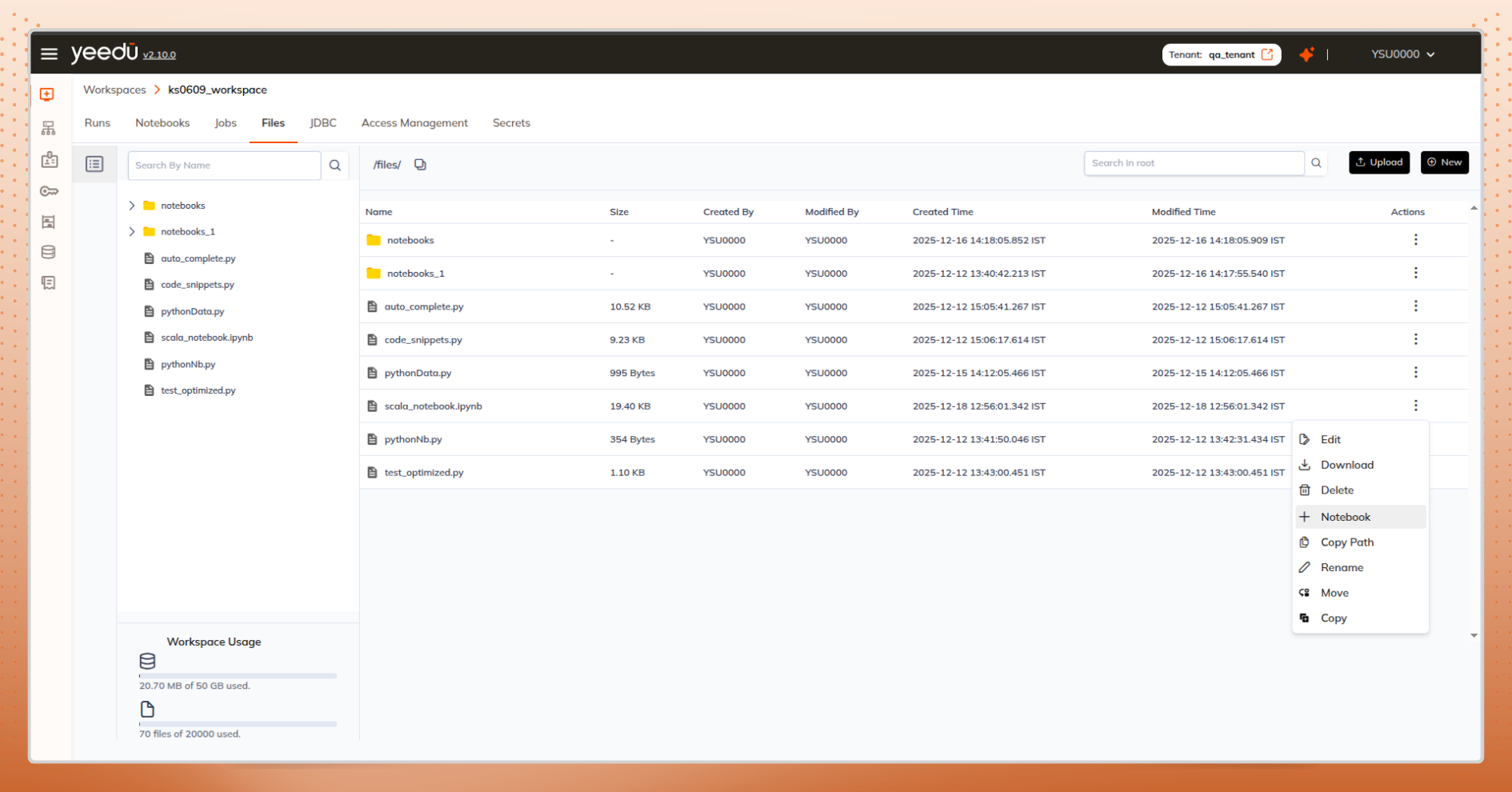
Dashboard, files tab, or uploaded .ipynb files all offer direct notebook creation.
The Result
You stay focused on:
The notebook remains a place for thinking - not navigation overhead - reinforcing data engineering user experience that supports deep technical work.
Debugging jobs often means jumping between:
Traditional navigation breaks this chain, making it harder to run Spark jobs efficiently and diagnose failures quickly.
A Context-Preserving Approach
See all runs related to the current notebook already scoped and relevant.
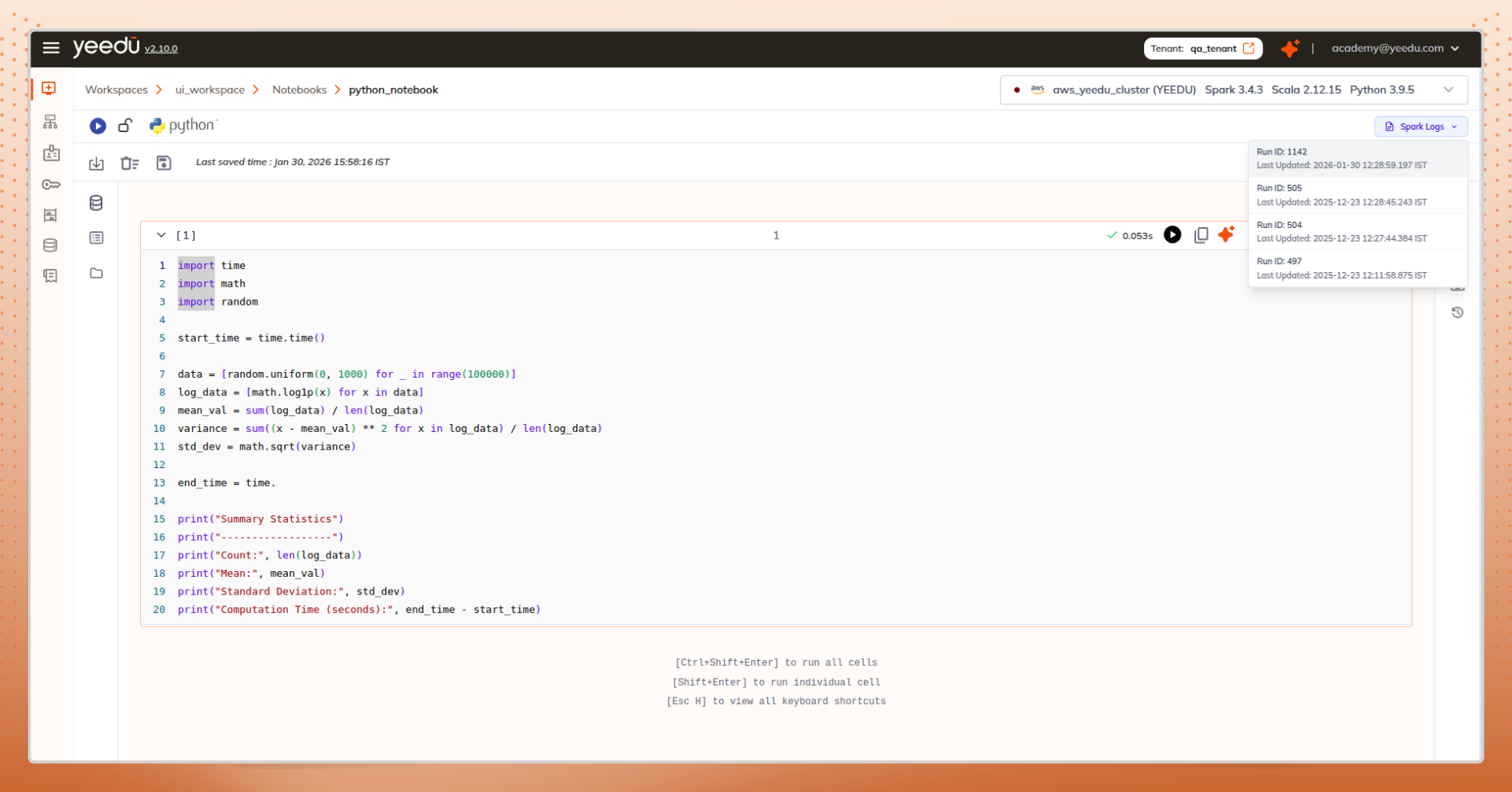
Preview files before selecting them. From the files tab, use “Create Job” to jump straight into job creation with the path pre-filled.
Even simple actions can disrupt flow if they require navigation.
Inline by Design
Create notebooks or jobs directly from file listings.
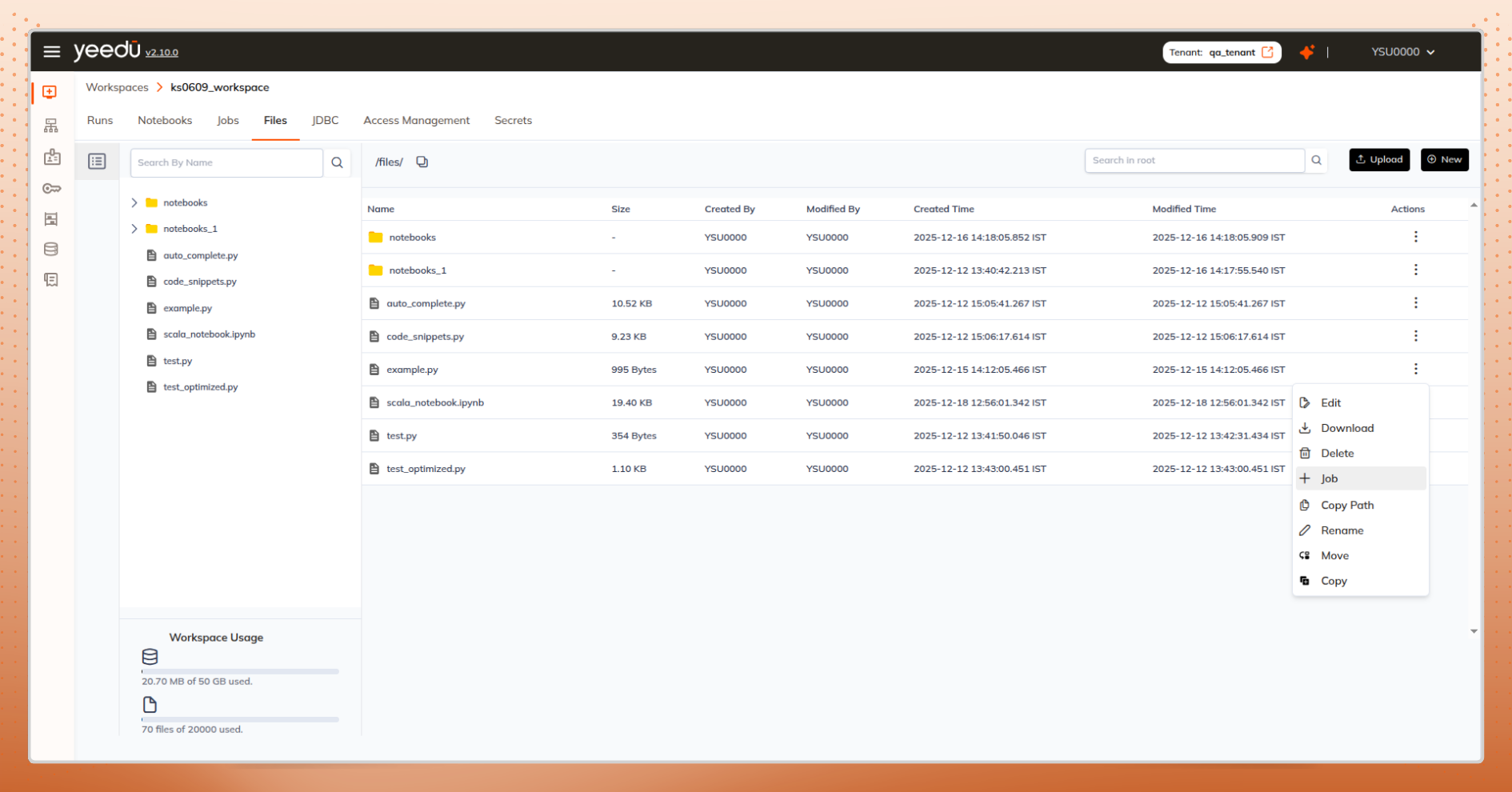
View cluster details and take actions without leaving the page.
Everything happens where the decision is made.
When working with clusters, adding a metastore is a critical step but it often requires extra navigation just to understand which metastore to use or why something isn’t working.
Our UI removes that friction:
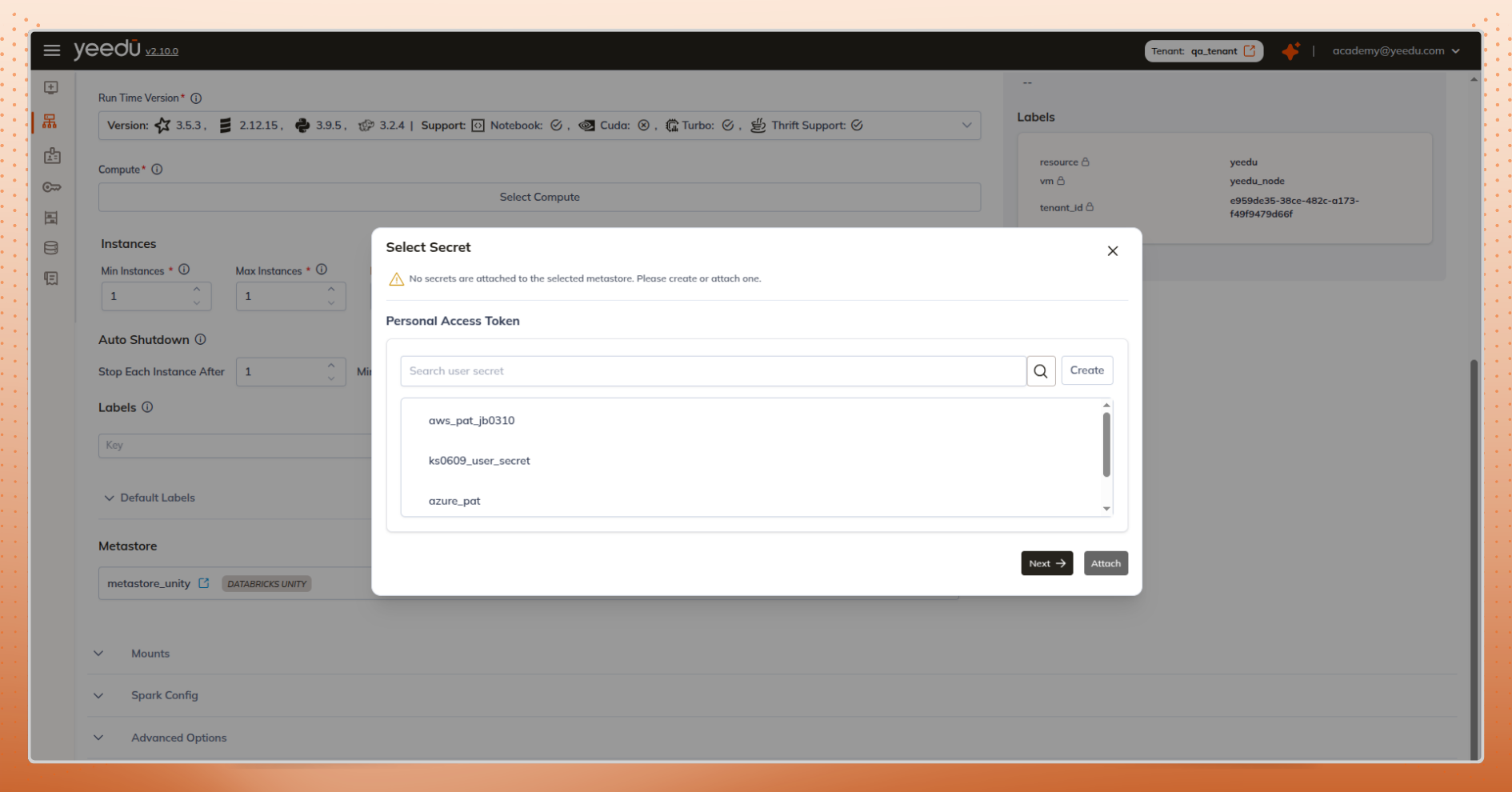
This ensures users can configure clusters correctly the first time, without interruptions, confusion, or unnecessary back-and-forth.
For data engineers, context loss isn’t a minor inconvenience it’s a productivity tax.
When context is lost:
When context is preserved:
The interface fades away. The problem-solving remains.
For data engineers, great UX isn’t flashy it’s invisible.
Cross-resource navigation without context loss transforms work from a series of interruptions into a continuous, focused journey. Notebooks, jobs, runs, logs, and clusters become connected parts of a single mental model, driving sustained data engineering productivity at scale.
When everything is just a click away and that click never breaks context engineering excellence becomes the default experience.