A data engineer’s dream - write Python, click Deploy, get an API.
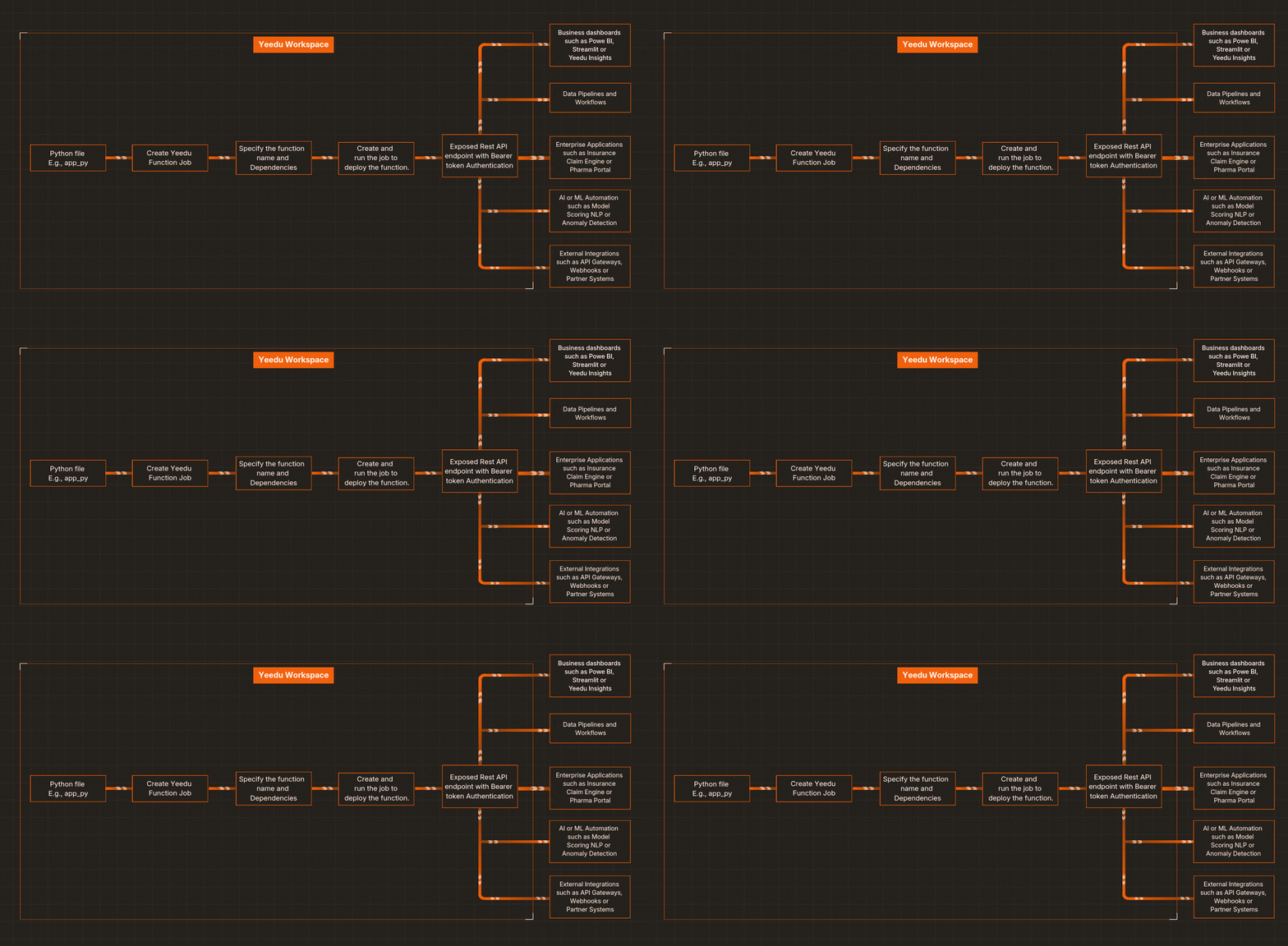
Every data or ML engineer knows this story: you’ve built a great Python program - maybe it scores insurance claims, analyzes patient notes, or validates datasets. It works perfectly in your local environment. But when it’s time to share it or connect it to real applications, that is to turn a Python Script into an API, the deployment friction begins: Docker containers, API gateways, scaling limits, security tokens… things get messy fast.
That’s where Yeedu Functions comes in. It lets you deploy any Python file as a production‑ready REST API on the Yeedu Functions managed compute - with complete control, governance, and observability. No external cloud setup. No juggling multiple services. Just your code, running in Yeedu
Yeedu Functions lets you execute and serve Python programs as REST APIs inside your Yeedu Workspace, acting as a python function as a service purpose built for data teams. The underlying platform is Yeedu, a unified data platform designed to orchestrate workloads across clouds.
It’s built for data‑driven enterprises - insurance, pharma, life sciences - where Python logic must move from the lab to production quickly, securely, and at scale. You upload a .py file, define which function to expose, and Yeedu handles:
It’s Python -> API - without the DevOps bottleneck
Here’s a streamlined workflow for how Yeedu Functions helps you build an API with Python in minutes:
Upload your .py file (for example, iris_model.py) into your Yeedu Workspace.

Go to Jobs → Create Job → Yeedu Function, and point it to your iris_model.py file. Configure options like project path, parallelism, concurrent request limits, maximum scale.
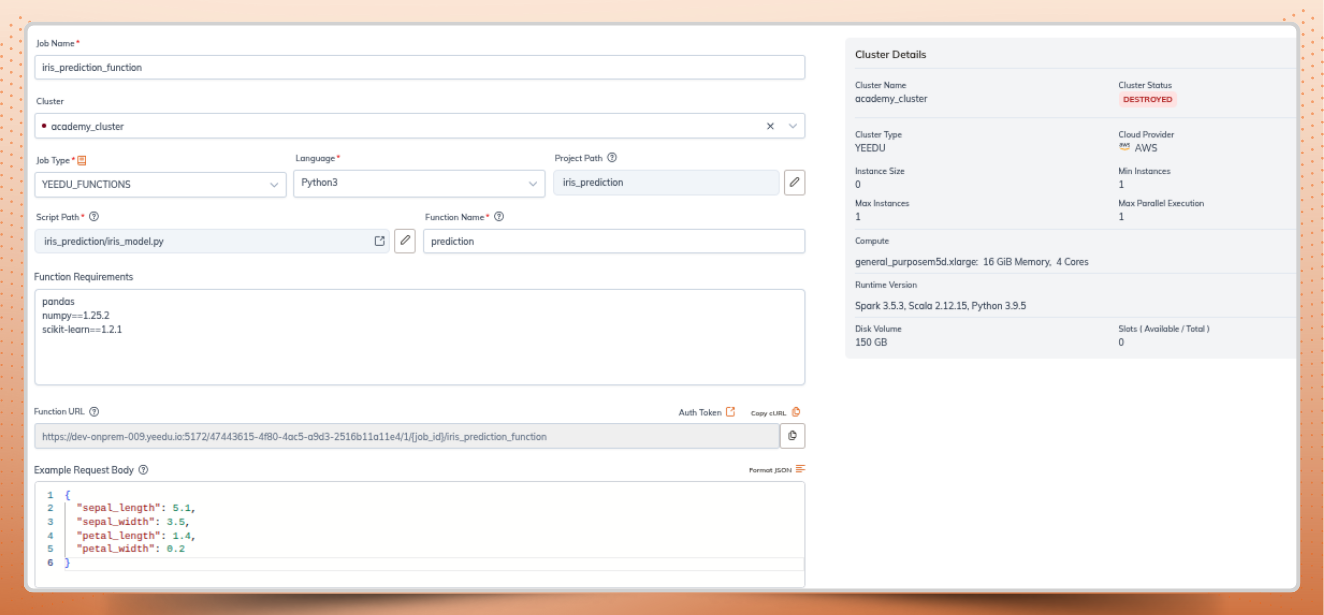
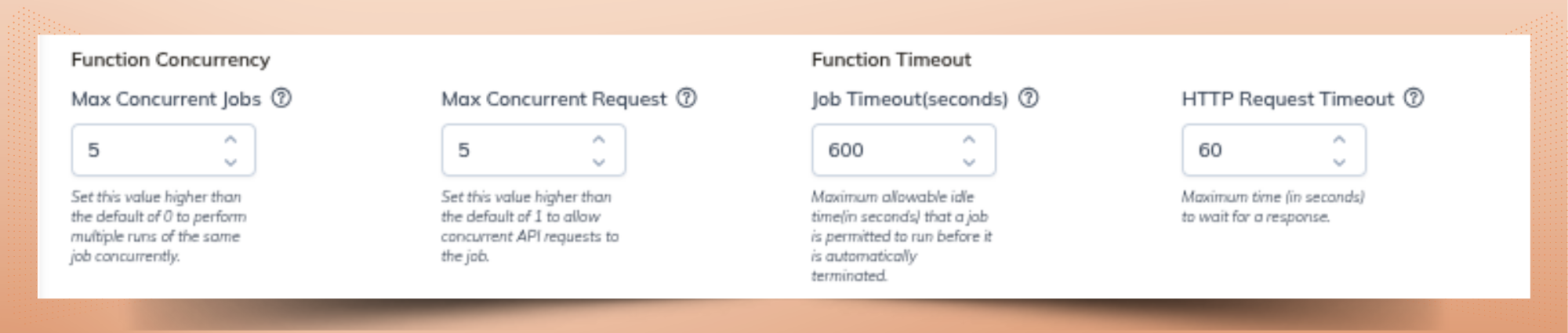
Specify the Python method to expose (e.g., prediction(...)) and list PyPI dependencies (like pandas, pickle, etc.). This is where deploying an ML model as an API becomes straightforward.
Here’s the code inside iris_model.py:
import os
import pickle
import pandas as pd

model = None

def init():
    """
    Load the ML Model.
    This method is called once when the service starts.
    """
    global model
    try:
        # Load the model from the pickle file
        with open(f"/files/iris_prediction/iris.pkl", "rb") as f:
            model = pickle.load(f)
        if model:
            print("Model loaded successfully")
    except Exception as error:
        raise Exception(f"Error loading the model: {error}")

def prediction(payload, context):
    """
    Make a prediction using the loaded ML model.

    Args:
        payload (dict): JSON payload containing features for prediction.
        context (dict): Contextual information such as request_id, etc.

    Returns:
        dict: Prediction result or error message.
    """
    try:
        # Extract features from payload
        # Expecting payload to have keys: sepal_length, sepal_width, petal_length, petal_width
        features = {
            "sepal_length": payload.get("sepal_length"),
            "sepal_width": payload.get("sepal_width"),
            "petal_length": payload.get("petal_length"),
            "petal_width": payload.get("petal_width"),
        }

        # Check if all features are provided
        if None in features.values():
            return {
                "status": "error",
                "message": "Missing one or more features: sepal_length, sepal_width, petal_length, petal_width",
                "request_id": context.get("request_id")
            }

        # Create DataFrame for prediction
        input_data = pd.DataFrame([features])

        # Make prediction
        prediction = model.predict(input_data)[0]  # Get the first (and only) prediction

        # Optionally, get prediction probabilities if the model supports it
        if hasattr(model, "predict_proba"):
            probabilities = model.predict_proba(input_data)[0].tolist()
            probability_dict = dict(zip(model.classes_, probabilities))
        else:
            probability_dict = {}

        # Prepare response
        response = {
            "status": "success",
            "prediction": prediction,
            "probabilities": probability_dict
        }

        return response

    except Exception as e:
        return {
            "status": "error",
            "message": str(e)
        }

def shutdown():
    """
    Shutdown the ML model if necessary.
    """
    global model
    if model:
        # If the model requires any cleanup, do it here
        model = None
        print("Model unloaded successfully")
This pattern allows stateful model loading, making it ideal for serving ML models as Rest API endpoints.
Yeedu packages your code and instantly exposes it as a secure serverless Python API.
You’ll find endpoint details in your job configuration screen within Yeedu. Use it from apps, data pipelines, or workflows - authenticated with your bearer token.

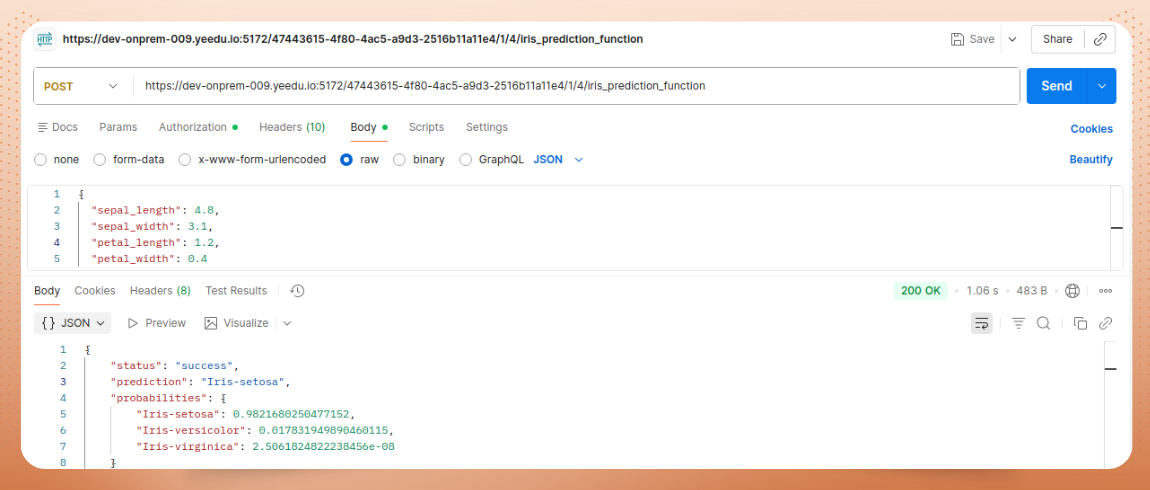
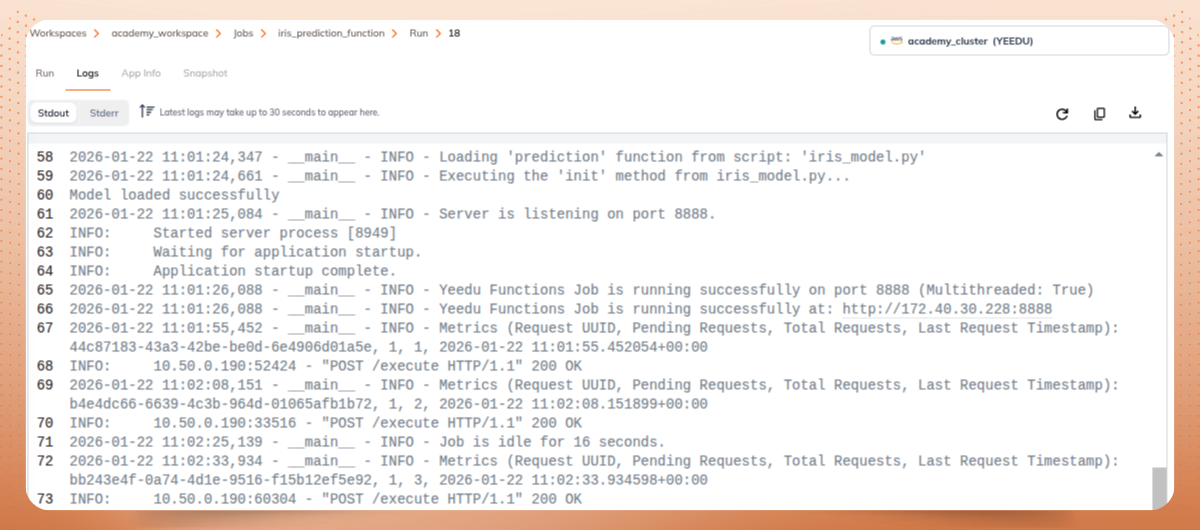
Here’s a small Python file named sentiment.py:
from textblob import TextBlob

def analyze_sentiment(text: str):
    score = TextBlob(text).sentiment.polarity
    if score > 0:
        return {"sentiment": "positive"}
    elif score < 0:
        return {"sentiment": "negative"}
    else:
        return {"sentiment": "neutral"}
Once deployed, you can invoke it directly:
POST https://<tenant>.yeedu.ai/functions/analyze_sentiment/invoke
Authorization: Bearer <yeedu_token>
Content-Type: application/json

{
  "text": "Yeedu makes deployment effortless!"
}
Response:
{
  "sentiment": "positive"
}
No containers. No API Gateway. Just a Python file as a REST API, live in production
Yeedu Functions is deisgned for real enterprise use cases where exposing Python logic as APIs in production is critical.
Challenge: Extracting adverse‑drug reaction pairs from unstructured clinical notes.
Yeedu Solution: Deploy clinical_nlp.py exposing extract_entities(), and then call it from EHR workflows.
Challenge: Real‑time model scoring at claim intake.
Yeedu Solution: Deploy fraud_score.py exposing score_claim(); call it from claim‑processing systems.
Challenge: Serving models that predict toxicity or solubility for new compounds. Yeedu Solution: Deploy toxicity_model.py exposing predict_properties() for chemists to call via internal apps.
Whether it’s a rule engine, NLP pipeline, or model inference - Yeedu Functions makes operationalizing Python logic effortless
Traditional cloud platforms require juggling between multiple services just to build and deploy a Python REST API. Here’s how the flows compare:
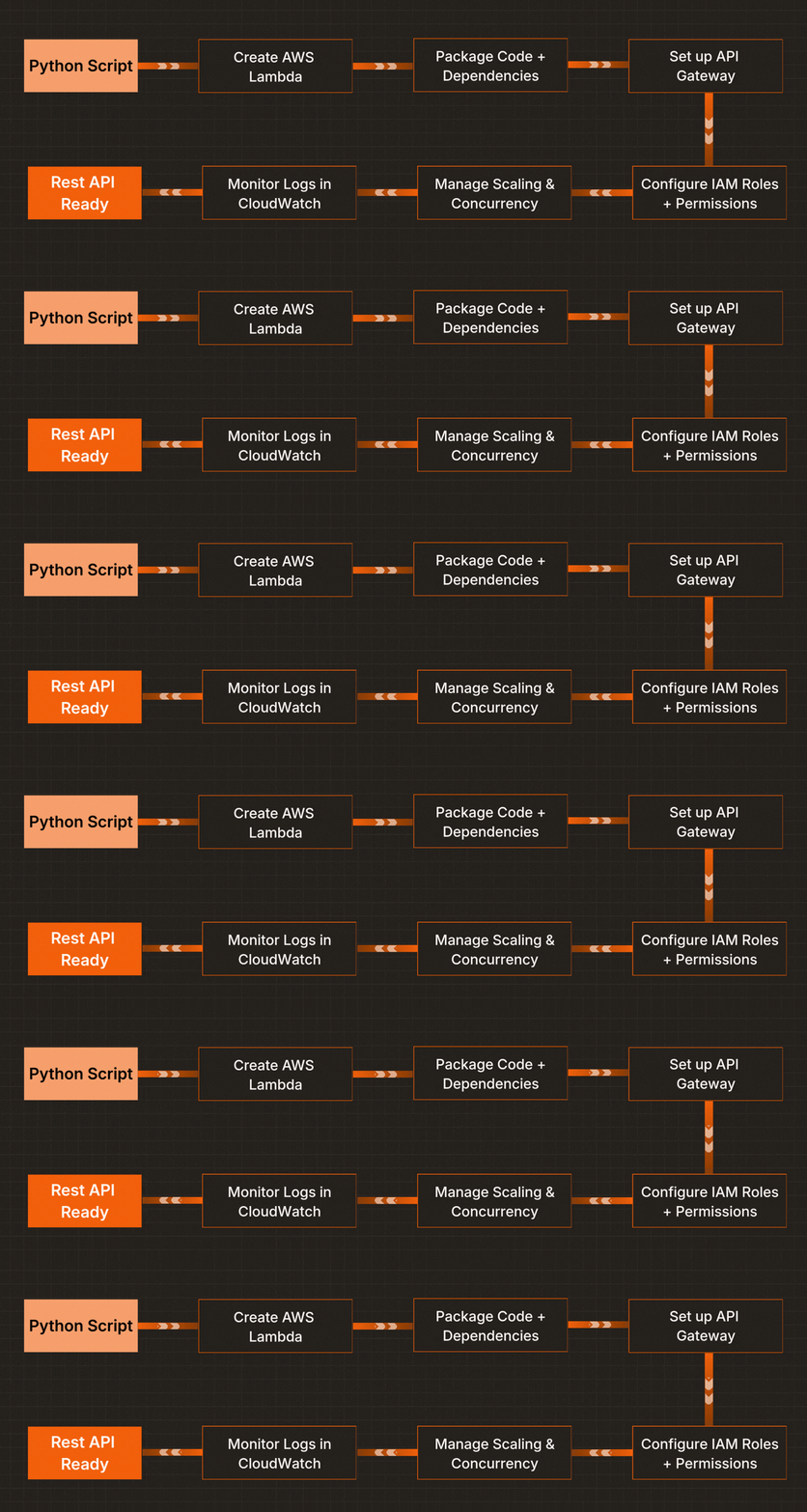
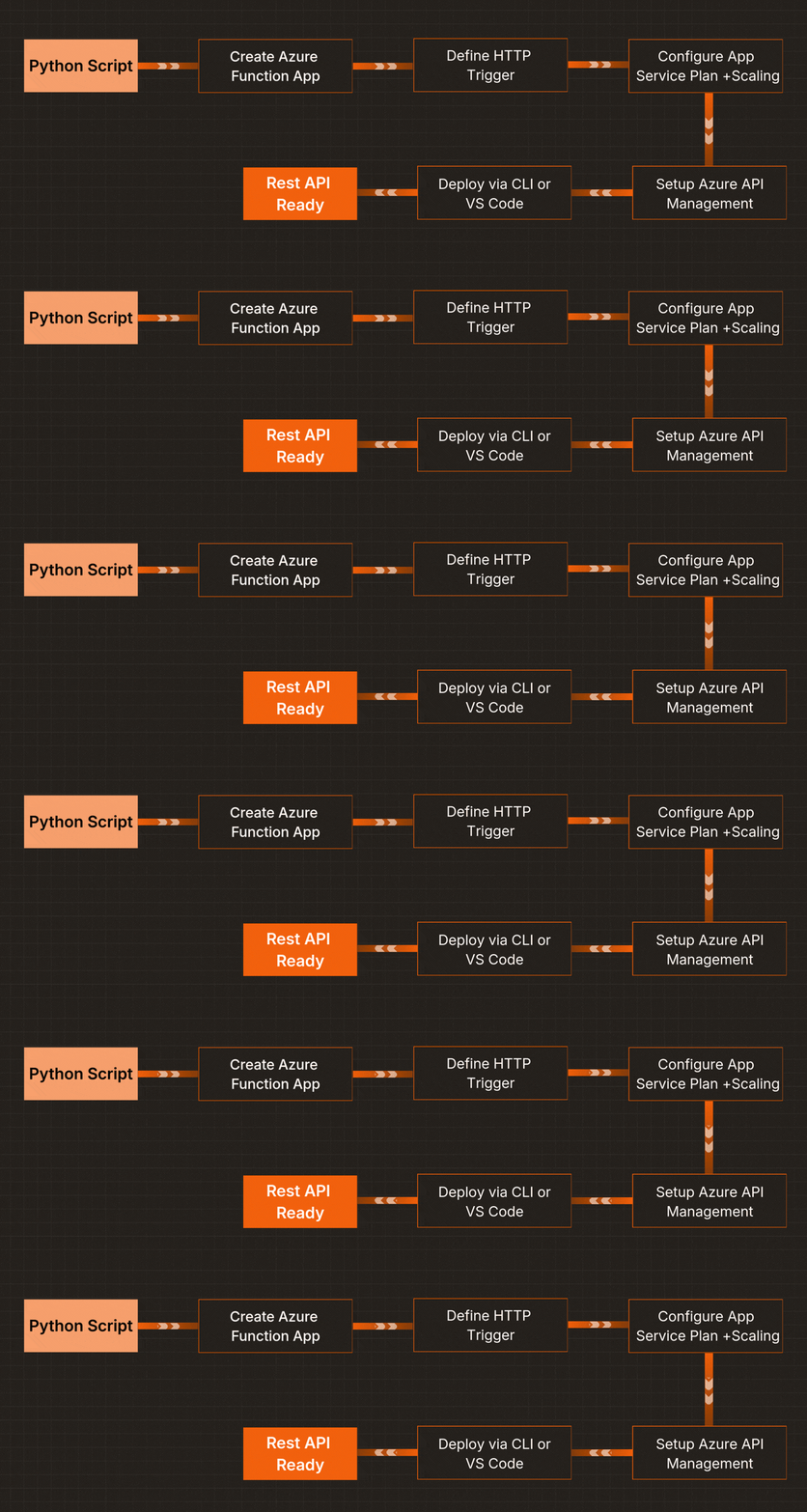
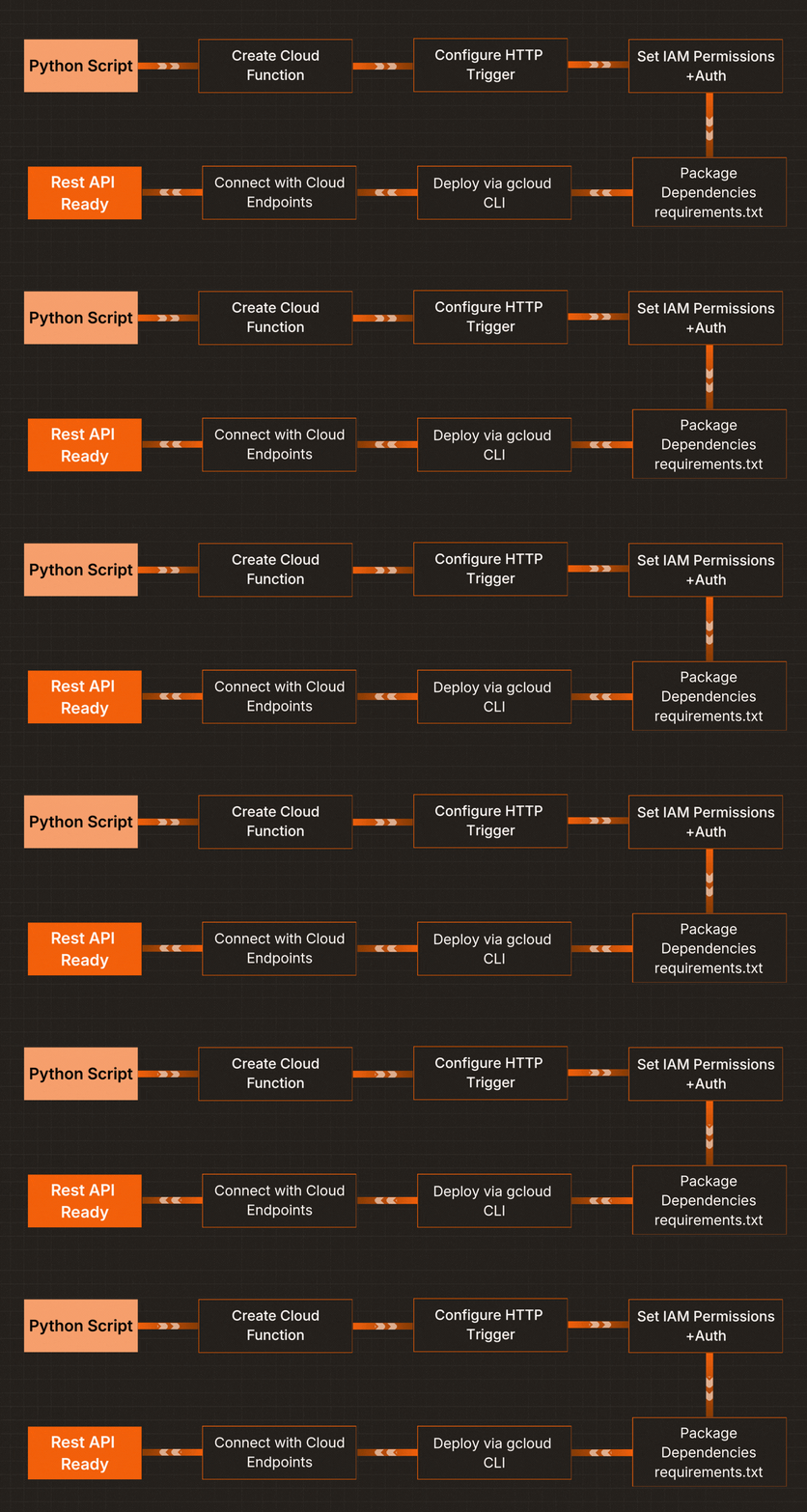
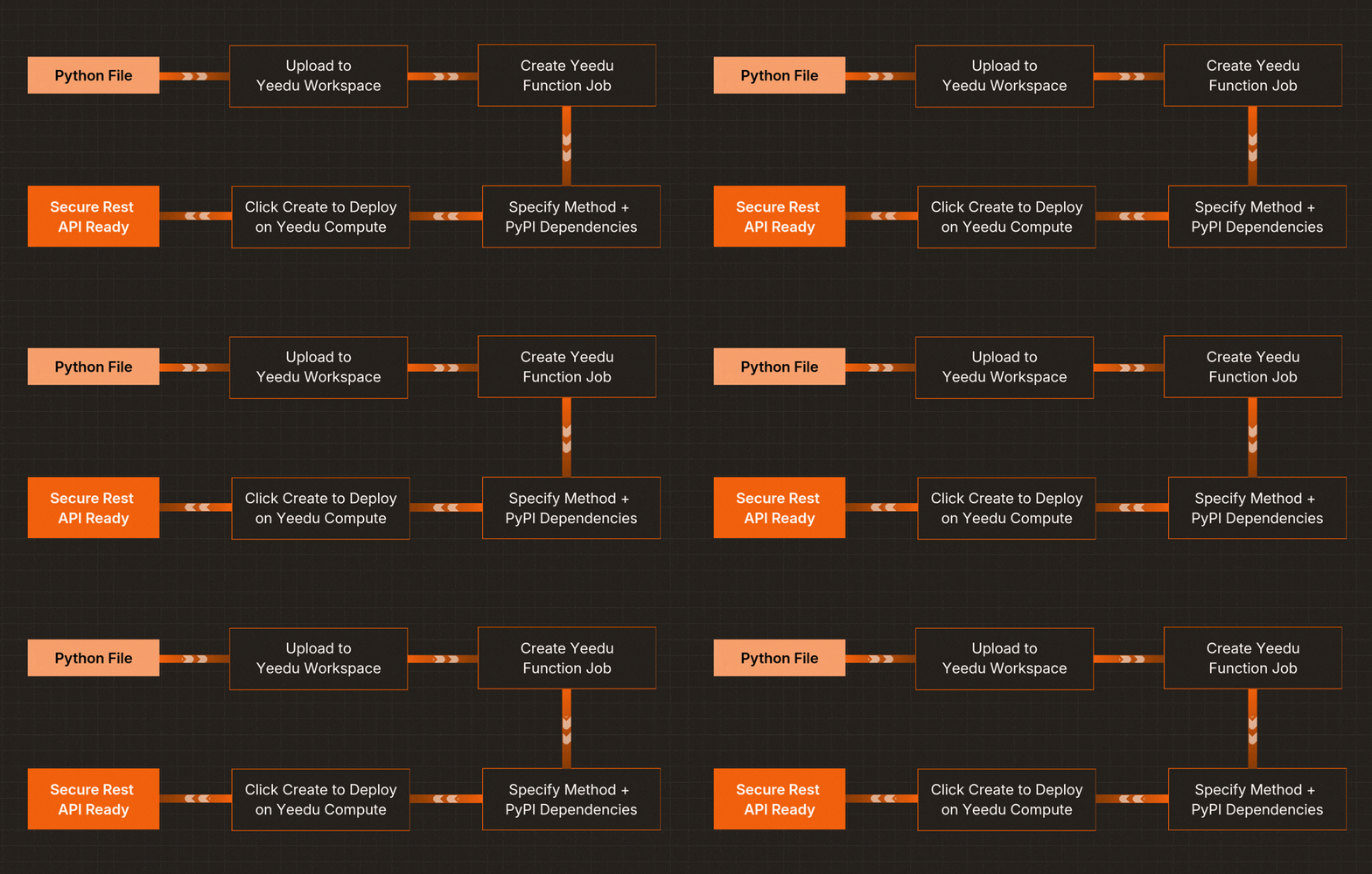
One environment. One flow. One click. Yeedu enables serverless Python APIs without forcing data teams to become infrastructure experts.
Beyond just deployment, Yeedu focuses heavily on the user experience for data engineers, analysts, and scientists. The UX is streamlined:
Once live, you can monitor and manage the API directly within the UI - without writing backend or infrastructure code. Real‑time request metrics, concurrency controls, and logs are baked into the job view.
global model, connection

def init():
    global model
    # initialize ML model, DB connections, etc.
    pass

def my_function(payload, context):
    result = process(payload)
    return {"result": result}

H3: Use Case: ML Model Inference

from sklearn.datasets import load_iris
from sklearn.ensemble import RandomForestClassifier

def init():
    global model, target_names
    iris = load_iris()
    model = RandomForestClassifier(n_estimators=100, random_state=42)
    model.fit(iris.data, iris.target)
    target_names = iris.target_names

def predict_iris_species(payload, context):
    features = payload["features"]
    prediction = model.predict([features])
    probabilities = model.predict_proba([features])
    confidence = float(max(probabilities[0]))
    predicted_species = target_names[prediction[0]]
    return {
        "prediction": predicted_species,
        "confidence": round(confidence, 3),
        "request_id": context.get("request_uuid", "")
} from pyspark.sql import SparkSession
def init():
global spark
spark = SparkSession.builder.appName("YeeduFunction").getOrCreate()
def process_spark_data(payload, context):
data = [(1, "Alice", 34), (2, "Bob", 45), (3, "Charlie", 29)]
df = spark.createDataFrame(data, ["id", "name", "age"])
filtered_df = df.filter(df.age > 30)
return {"result": filtered_df.toJSON().collect()} import openai
import os
def generate_text(payload, context):
client = openai.OpenAI(api_key=os.getenv("OPENAI_KEY"))
response = client.chat.completions.create(
model="gpt-3.5-turbo",
messages=[{"role": "user", "content": payload["prompt"]}]
)
return {"response": response.choices[0].message.content} The journey from local script to production API shouldn’t require weeks of infrastructure work. With Yeedu Function, exposing Python as an API in production becomes one-click operation.
Why choose Yeedu Functions?
You wrote that Python script. Now let it serve your business as a production-grade REST API.
Ready to transform your Python scripts into production‑ready APIs? Explore Yeedu’s documentation and platform today: Yeedu Docs