

Enterprise data platforms often evolve over time starting with traditional Hive metastores and gradually adopting newer systems like AWS Glue or Unity. As these stacks mature, enterprises begin thinking about modernizing their Hive Metastore architecture while ensuring compatibility with newer governance layers and simplifying unified workflows built on strong unity catalog integration.
But when adopting a unified analytics platform like Yeedu, teams often ask:
“How do we bring our existing Hive, Glue, or Unity metastores into Yeedu without rebuilding or migrating metadata?”
Yeedu solves this elegantly.
It natively integrates with all three metastores, allowing you to connect existing metadata stores instantly making it a natural fit for teams prioritizing robust data catalog integration without additinal engineering overhead and enabling cleaner end-to-end pipelines that benefit from seamless unity catalog integration.
That means:
- No schema recreation
- No manual migration
- Immediate access to existing data assets
Instead of duplicating metadata, Yeedu acts as a federated metastore layer that reads from your source systems directly simplifying everything from Glue Data Catalog integration to Unity Catalog integration.
Why External Metastore Integration Is Realistic
Governance stays external.
Yeedu connects to your metastore rather than forcing you to migrate metadata into a proprietary system. Your lineage, permissions, and compliance logs remain exactly where they are and this is true even for advanced setups like Databricks Unity Catalog connectivity, where governance cannot be compromised.
Zero migration overhead.
You can integrate Glue, Hive, or Unity metastore instantly with no schema recreation or manual migration.
TL;DR: You point clusters at the metastore you already trust no metadata migration, no permission recertification, no audit gaps.
Zero Migration - How Yeedu Avoids Metadata Duplication
Traditional catalog integration often involves exporting metadata from Hive and importing into Glue or Unity metastore.
That’s brittle, time-consuming, and error-prone.
Yeedu avoids this entirely.
How It Works
- Yeedu treats Glue/Hive/Unity as live external metastores no data copying.
- It queries metadata on-demand using native APIs.
- Data remains in place whether on S3, HDFS, or any object store.
So your team can:
- Keep using existing catalogs.
- Use the same tables from Yeedu notebooks and Spark jobs.
- Share the same catalog definitions across multiple tools.
Yeedu’s unified catalog layer abstracts over Glue and Hive while maintaining metadata consistency without migration giving you clean Unity Catalog integration without modifying your pipelines and improving multi-cloud reliability.
Key Design Principles
| Principle | Description |
|---|---|
| Zero Migration Overhead | Connect Glue, Hive, or Unity directly, no duplication. |
| Unified Access Layer | Query all catalogs from one interface. |
| Consistency & Security | Uses access policies and metadata definitions from the source catalog. |
| Plug-and-Play Setup | Metastores can be configured using XML files or by filling required details in the Yeedu UI. |
Yeedu supports external metastore integration for Glue, Hive, and Unity, giving enterprises a single control plane for data discovery and governance and forming the foundation for scalable Hive metastore architecture in hybrid environments.
Yeedu Secrets for Metastores
Yeedu secrets can be used to store sensitive data such as PAT tokens, AWS Secrets, and Azure credentials required for metastore configuration.
Secrets are scoped at three levels to match operational boundaries:
- Tenant Secrets – Organization-wide credentials
- Workspace Secrets – Team-level credentials
- User Secrets – Developer-specific credentials
Beyond credential storage, Yeedu Secrets also play a critical role in catalog connectivity and access.
They enable metastore integrations to authenticate correctly and ensure proper, controlled catalog access inside Yeedu without exposing credentials in code, UI forms, or configuration files.
Connect to different types of Metastore
Connecting external catalogs to Yeedu is designed to be effortless: Users only need to fill in minimal details Yeedu handles the rest, making the integration smooth, reliable, and ready for analytics or Spark workloads within minutes.
Navigate to Metastore → Add Metastore, then follow the steps below for your chosen metastore type.
1. Databricks Unity Catalog
When to use: Migrating from Databricks or adopting Unity Catalog as a governance layer.
This is where Yeedu’s Databricks Unity Catalog connectivity becomes especially valuable, offering teams a straightforward path to enterprise-grade unity catalog integration.
In Yeedu UI:
- Select Metastore Type: Databricks Unity Catalog
- Provide Name, Description, and Databricks Endpoint URL
- Specify Default Catalog, Storage Path, and optional Additional Catalogs
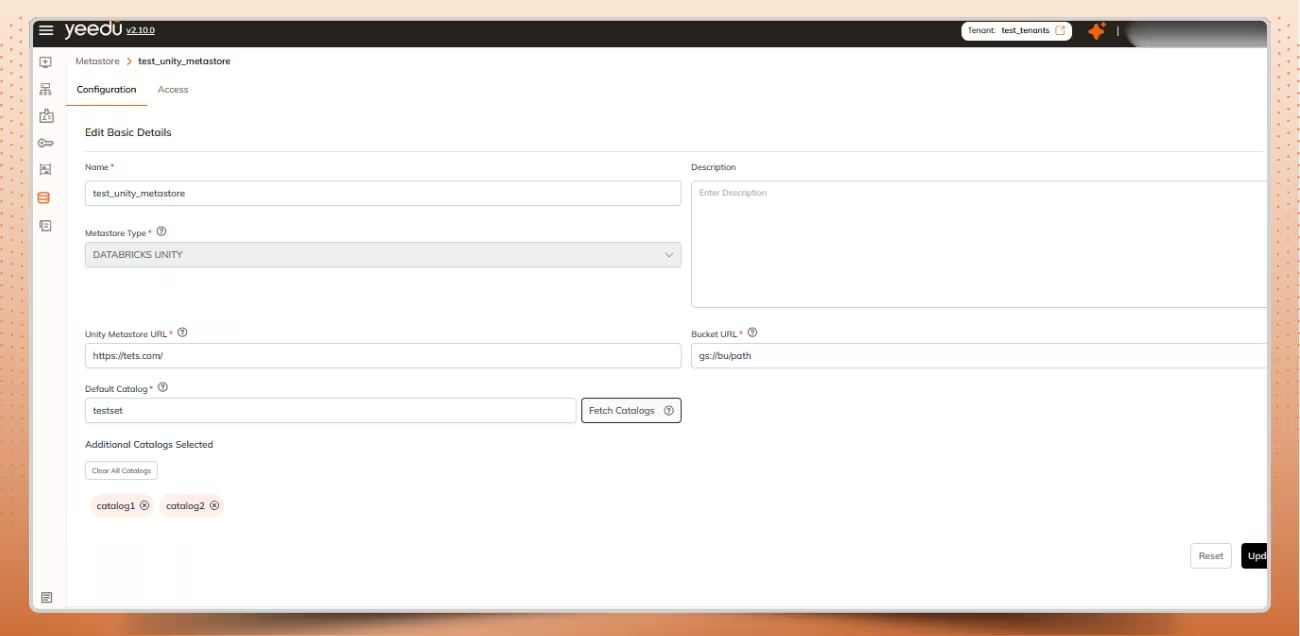
Add Unity Metastore Configuration
- To Create a Personal Access Token on the fly by click on section Databricks Personal Access Token > Select Personal Access Token > Create >
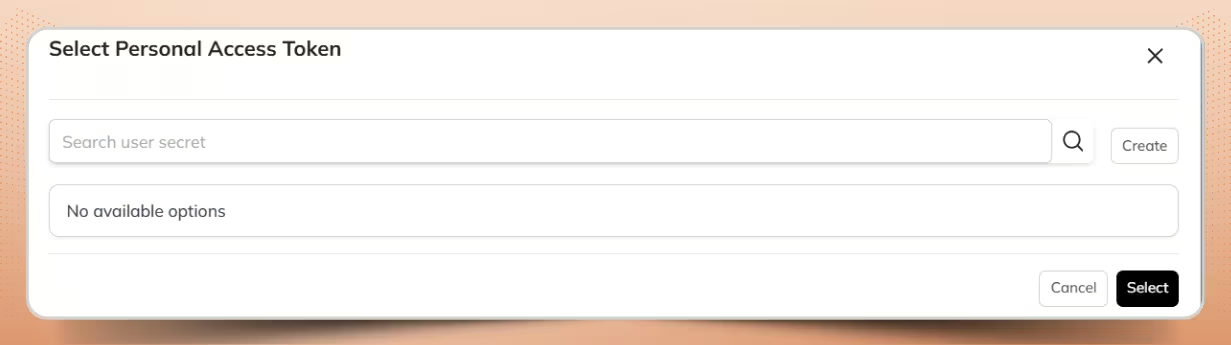
Choose Personal Access Token
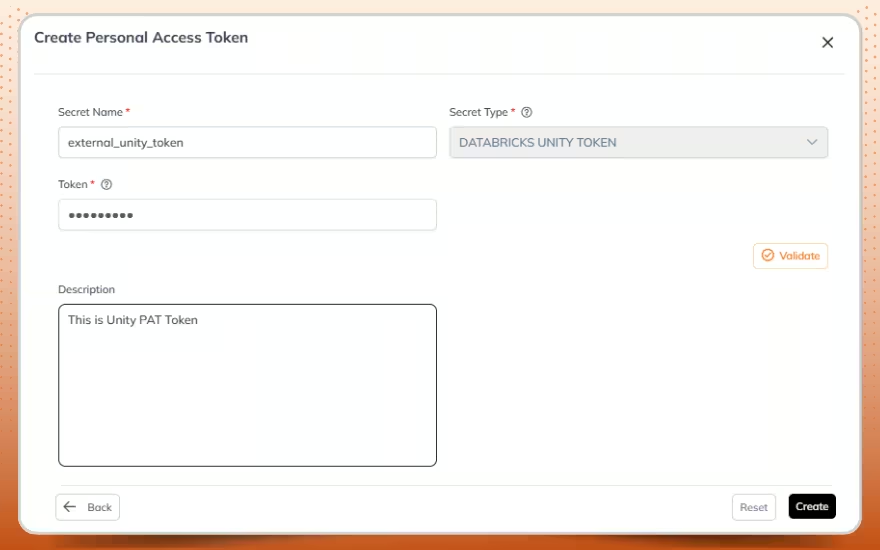
Add Personal Access Token
- You can also create PAT token under Secrets, create a secret of type DATABRICKS UNITY TOKEN
- Required fields: Token value
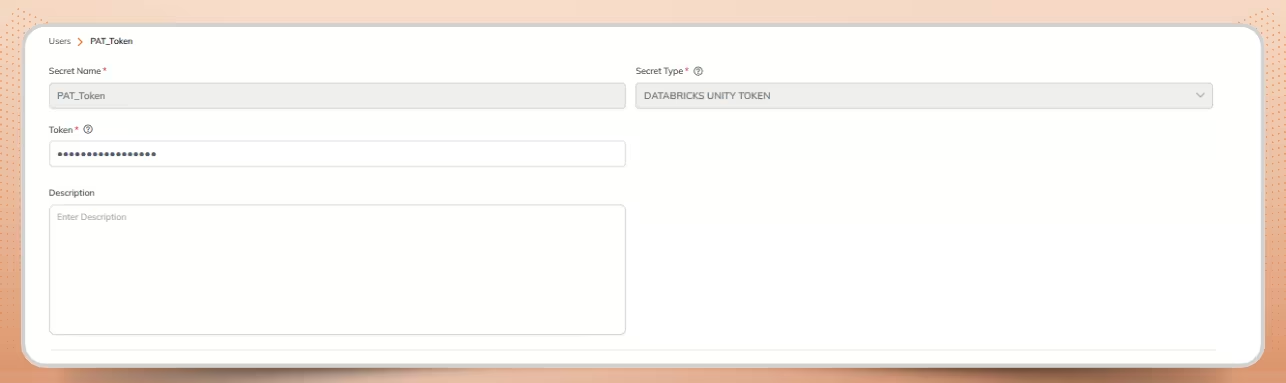
Add Personal Access Token for Unity Metastore
- Validate and Save Yeedu confirms connection to list Unity catalogs.
2. Hive Metastore
When to use: Connecting to on-premises or legacy Hadoop clusters.
The path is ideal for enterprises retaining traditional Hive Metastore architecture while modernizing compute through Yeedu.
In Yeedu UI:
- Select Metastore Type: Hive Metastore
- Upload hive-site.xml configuration file
- Upload krb5.conf configuration file
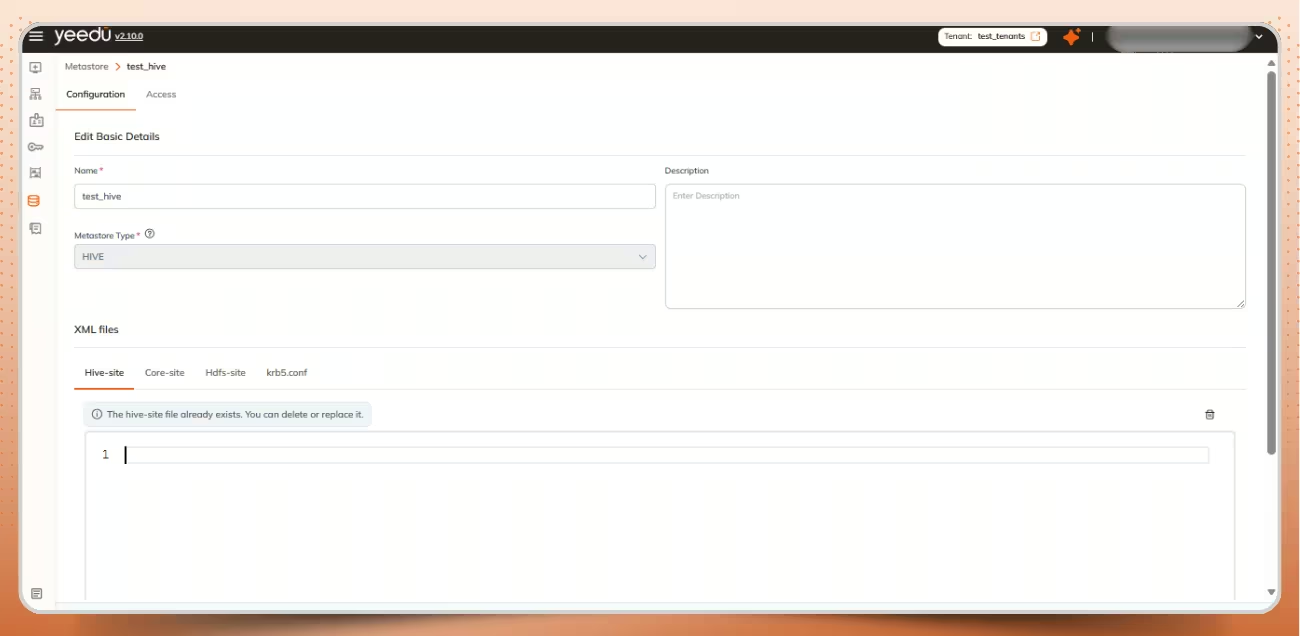
Hive Metastore Configuration
- Users can create a new secret and link it to a metastore created in the above step.
- To create a secret, Under Secrets, Select a secret of type:
- HIVE KERBEROS → Requires Principal and Keytab file, choose the Hive metastore created in above step
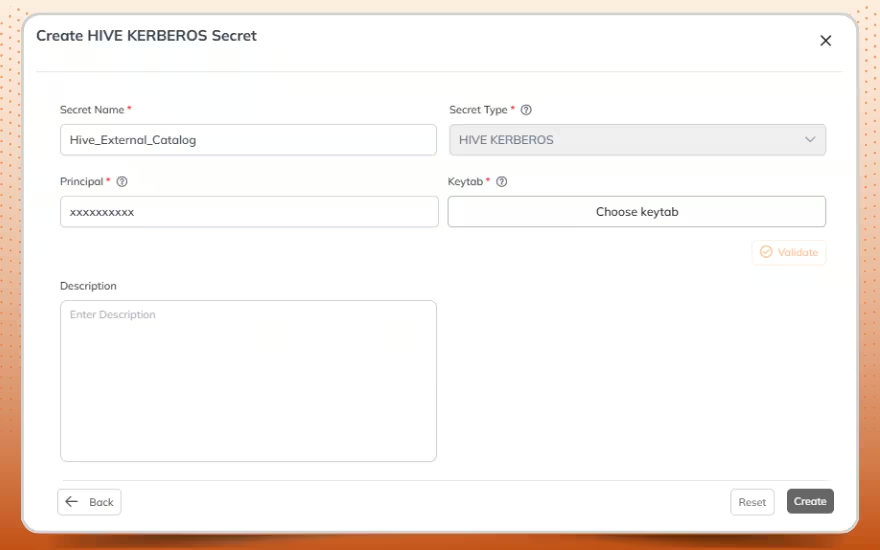
Add Hive Kerberos Secret
Caption: Add Hive Kerberos Secret
Alt text: Creating a Hive Kerberos Secret
- HIVE BASIC → Requires Username and Password, choose the Hive metastore created in above step
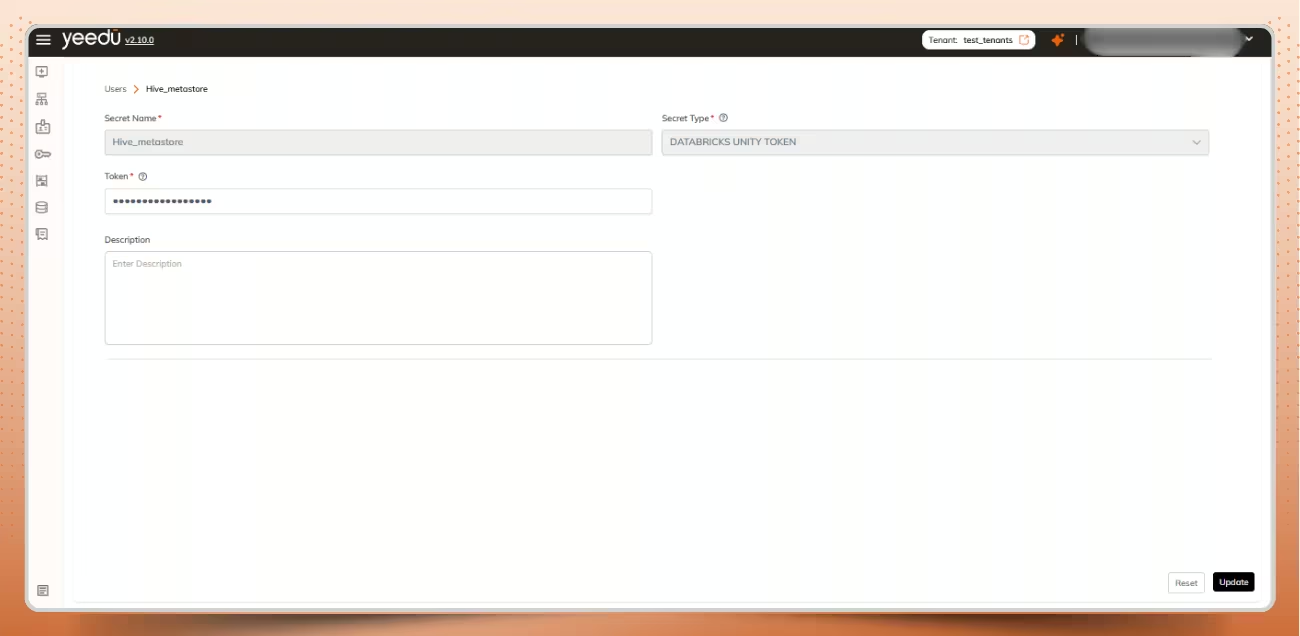
Add Hive Basic Secret
Caption: Add Hive Basic Secret
Alt text: Linking Hive Basic Secrets to Metastore
- Validate and Save — Yeedu extracts the Hive connection URL and verifies access.
3. AWS Glue
When to use: AWS-native architectures using Glue as the central catalog.
This enables seamless Glue Data Catalog integration for customers running workloads across AWS services.
In Yeedu UI:
- Select Metastore Type: AWS Glue
- Provide Name and Description
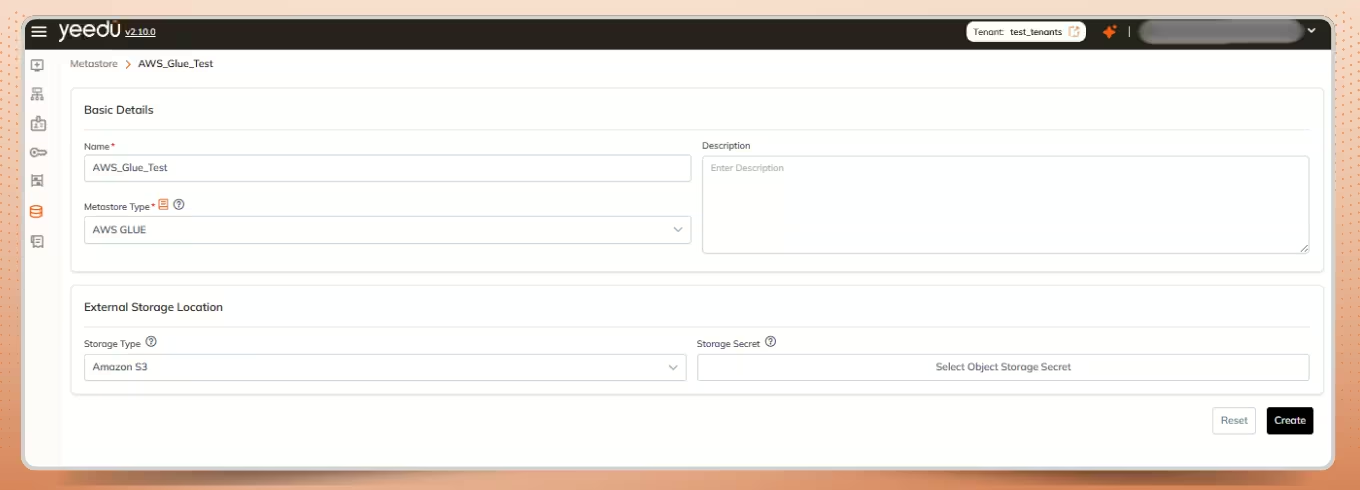
Glue Catalog Configuration
- To Provide AWS IAM USER Credentials , Click on Storage Secret > Create > Provide the Access Key ID, Secret Access Key, Default Region
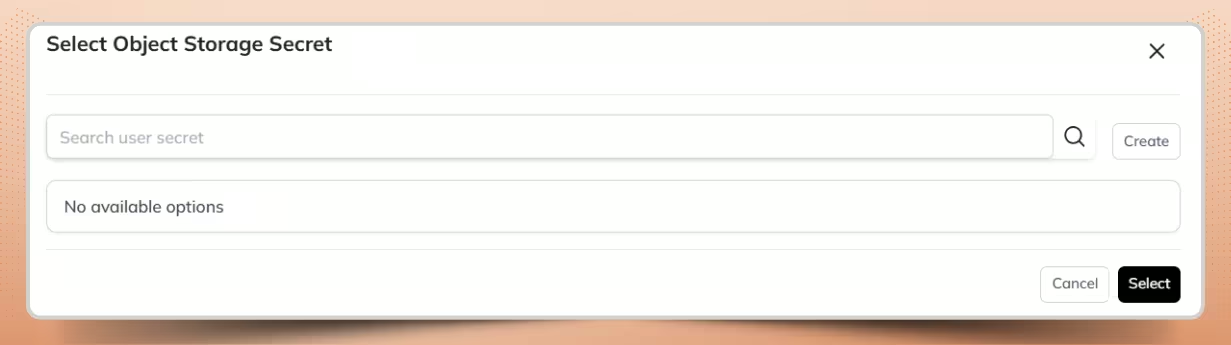
Select object storage secret
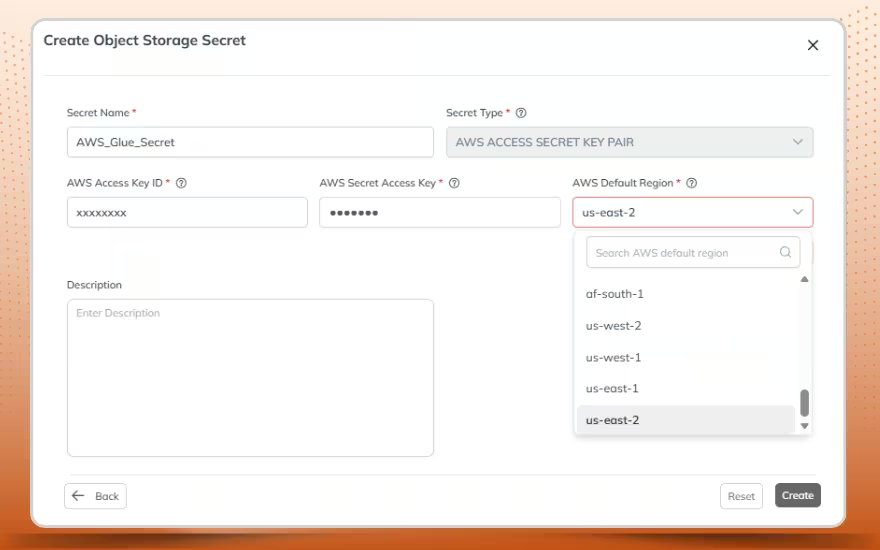
Add Storage Secret for Glue Catalog
- You can also create AWS user credenatials as secrets under Secrets, select a secret of type AWS ACCESS SECRET KEY PAIR
- Required fields: Access Key ID, Secret Access Key, Default Region
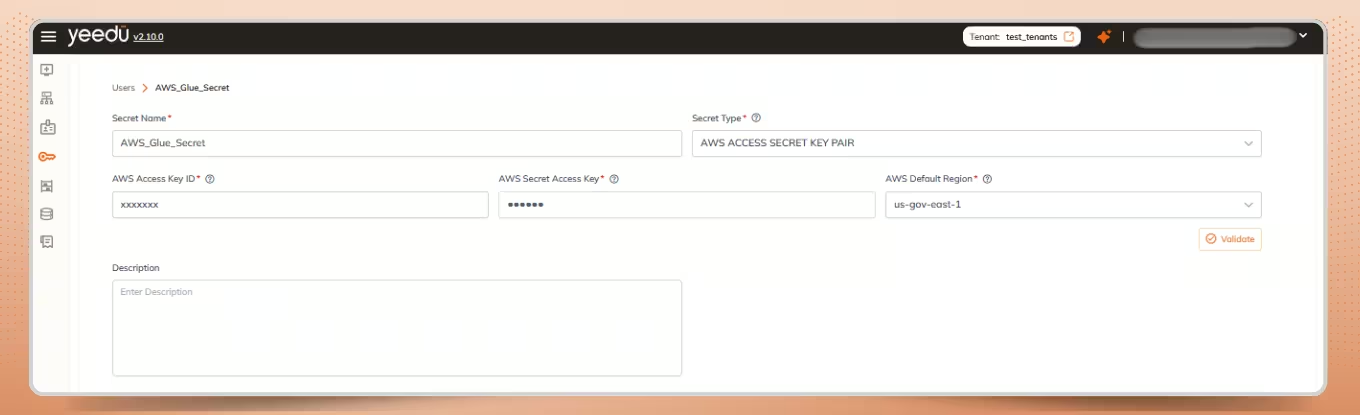
Add Storage Secret for Glue Catalog
- When Validate is clicked, Yeedu authenticates the credentials and initiates a connection via AWS Glue APIs.
Using the Connected Metastore in Yeedu
Once the metastore is created and validated with the required secrets, data engineers can seamlessly use it within their Spark code.
- Create or open a notebook and attach it to the cluster that has the metastore configured.
- Navigate to Yeedu UI > Workspaces > Click on workspace > Click on Notebook Name
- Users can run SQL directly in Yeedu Notebooks on any catalog they’ve attached allowing data catalog integration to flow directly into analytics.
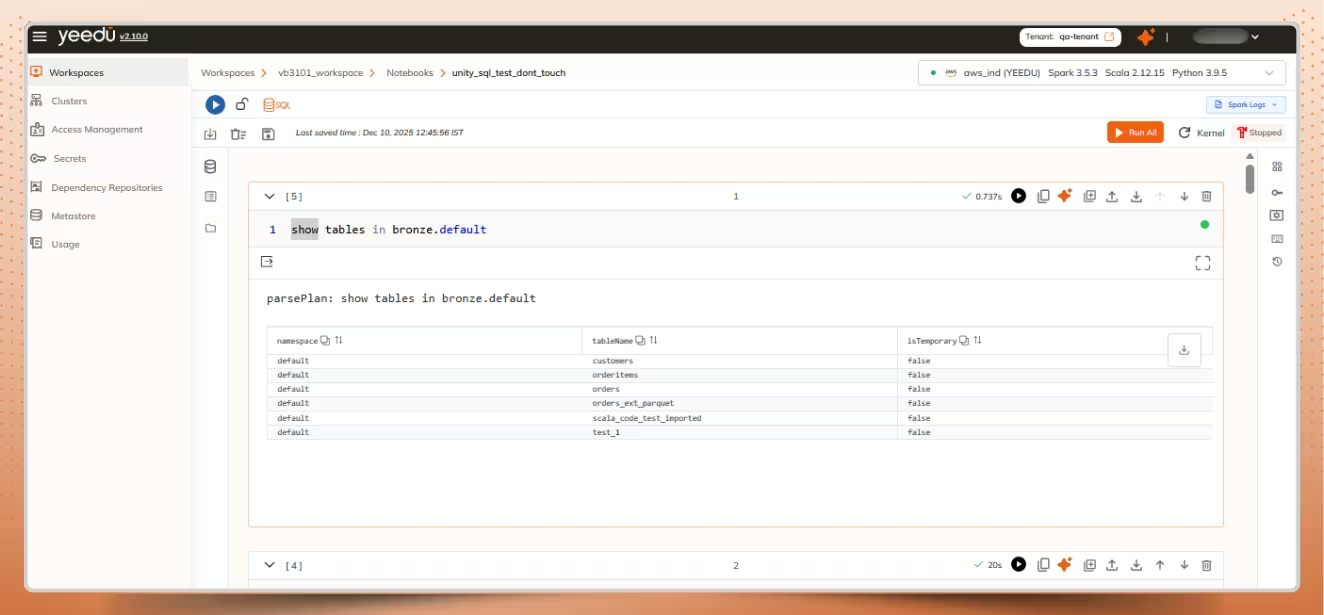
Query to list the tables in the bronze catalog under the default schema.
- The screenshots illustrate running SQL against tables in the bronze.default namespace to inspect and analyze catalog data.
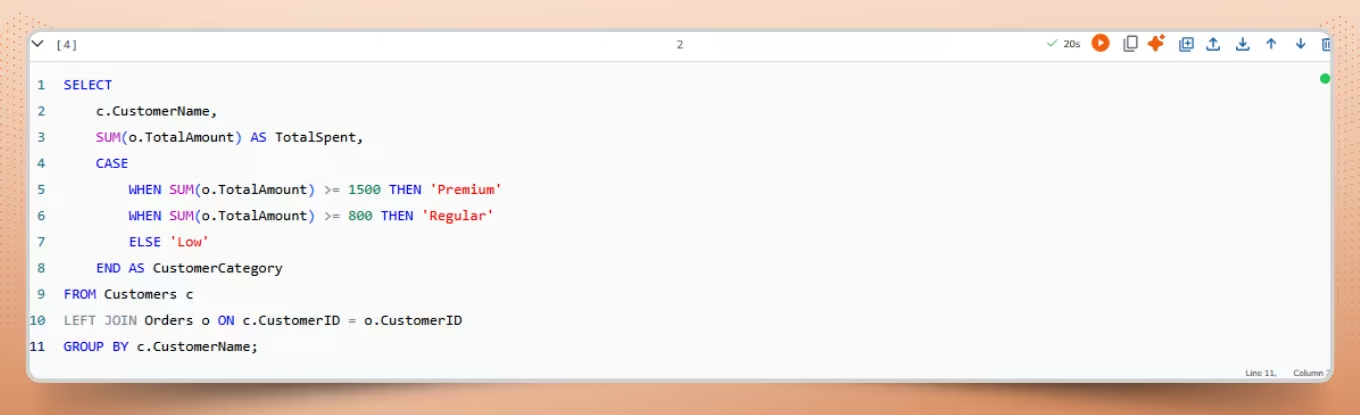
Query to retrieve total spent amount per customer category
SQL query to inspect and analyze catalog data on Yeedu Notebooks.
Output

Unified Access Inside Yeedu
Once connected, users can:
- Browse external catalogs in the Catalog Explorer
- Query tables directly from Yeedu notebooks or jobs
- Use existing namespaces without changing SQL or Spark code
Yeedu’s unified catalog layer ensures a consistent and transparent access experience across Glue, Hive, and Unity while optimizing runtime interactions that also contribute to Spark cost optimization in larger deployments.
Conclusion
Yeedu’s Bring Your Own Catalog architecture unifies Glue, Hive, and Unity Catalog under a single access layer without any metadata migration.
You gain instant interoperability, zero governance gaps, and consistent access control across clouds.
Connecting to Cloudera Hive metastore, integrating AWS Glue, or extending Unity Catalog, Yeedu delivers seamless, governed access letting enterprises modernize at their own pace, with full transparency and security.
Further Reading
MetaStore - Unity Catalog | Yeedu Documentation